Usage
Browse
Open Komga → Browse & download (under the Tools menu). The home hub offers six modes:
- Current Reading — chapters you've partially read, across all series.
- Deck — the next-to-read chapter of each series you've started ("on deck").
- Last Updated — the most recently added chapters (first 200).
- Last Added Series — the most recently added series (first 200).
- Collections — your Komga collections; open one to see its series.
- All — every series; the first row is Search to filter by name.
The chapter modes open a chapter list directly; the series modes open a series list, and tapping a series opens its chapters.
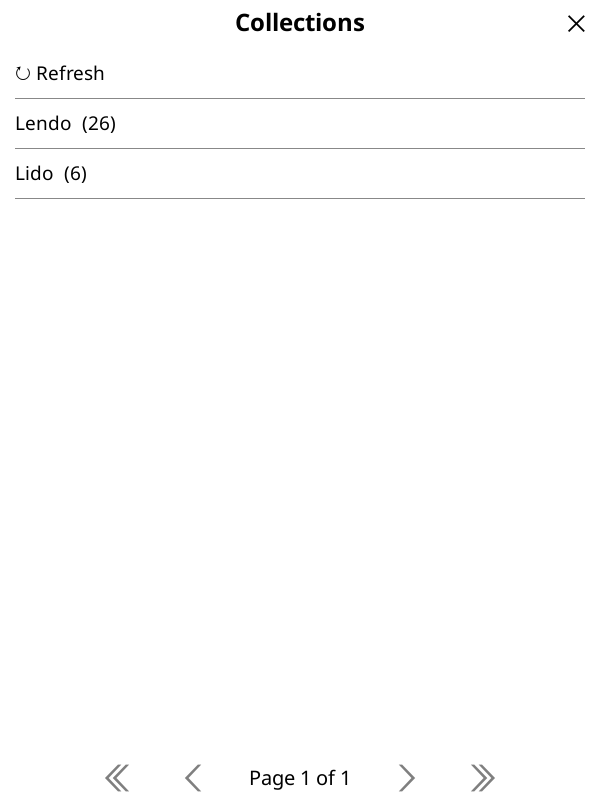
Collections
Opening Collections lists your Komga collections; tapping one scopes the series list to that collection.
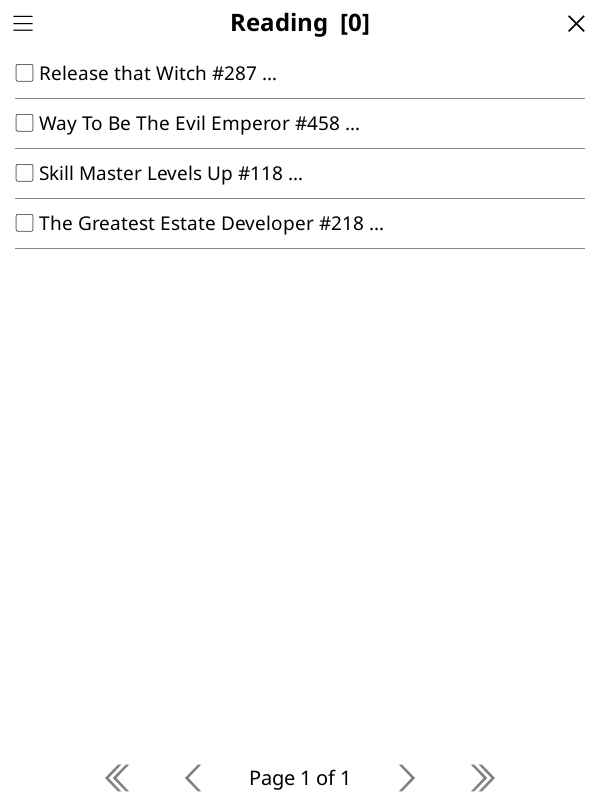
Chapter selection
Each row shows a checkbox, the series title, the chapter number, and a status marker:
| Marker | Meaning |
|---|---|
▢ / ✓ |
unchecked / checked (selected) |
✔ |
read |
… |
in progress |
⤓ |
the file is already on the device |
- Tap a chapter to toggle its checkbox (the list stays on the current page).
- Tap the menu icon in the title bar (visible on every page) to open the actions popup:
- Select unread — select all chapters you haven't finished.
- Next N unread… (single-series lists only) — select the next N unread after your last-read chapter.
- Select all / Clear — select or deselect everything.
- ⬇ Download — download the selected chapters (the button shows the count).
- ↻ Refresh — reload the list from the server.
Downloads
- Downloads run with a progress popup; tap it to stop between chapters (cancellation is not mid-chapter).
- Files that already exist are skipped.
- A summary shows downloaded / skipped / failed counts and the destination folder.
- Transient failures (connection drops, server errors) are retried up to 4 times with exponential backoff; each retry notice can be tapped to cancel.
Download timeouts
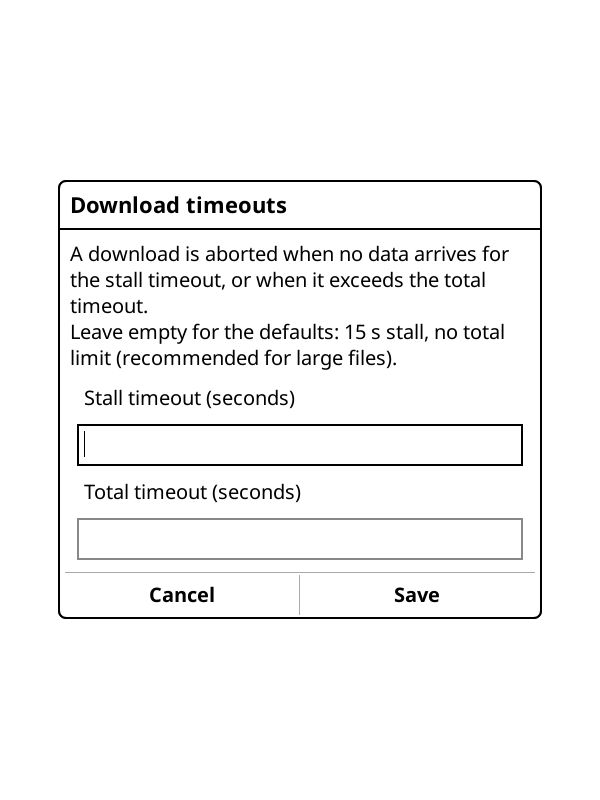
By default a download is aborted (and retried) only when it stalls (no data received for 15 seconds), with no limit on the total duration, so large files can take as long as they need on a slow connection.
Komga → Settings → Download timeouts lets you change both values:
- Stall timeout: seconds without receiving any data before the attempt is aborted.
-
Total timeout: a hard cap on the whole download, if you want one. Leave empty for no cap (recommended; a low value makes big chapters fail on slow links).
Where files go
<download root>/<Series name>/<name>.cbz
- The download root is picked in Komga → Settings → Download folder. When unset, it
resolves to the first available of: your file-manager home directory, the device home
(e.g.
/mnt/onboardon Kobo), or the KOReader data dir — preferring a public, user-visible location — with/Komgaappended. -
File names follow Komga → Settings → Filename template. Placeholders:
{series},{title}(chapter title, may be empty),{number}(zero-padded sort, e.g.0001,0010.5). Default:{number};{number}is required.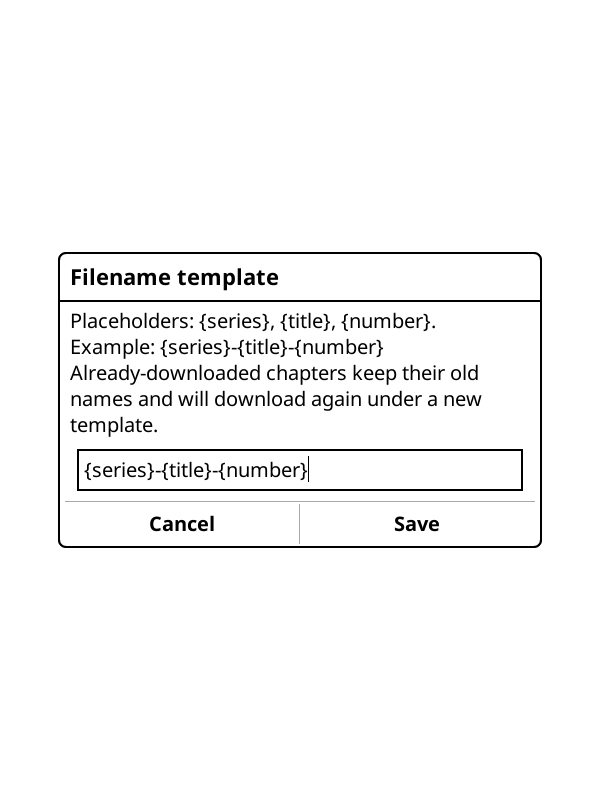 - Komga → Settings → Per-series subfolder controls the
 <Series name>/level. Turning it off saves everything flat under the root and requires{series}in the template. - Names are sanitized for FAT32 compatibility (illegal characters replaced with spaces, trailing dots removed). If two chapters would map to the same name, later ones get a short id suffix (e.g.0001_<id>.cbz). - Changing the template or the subfolder toggle does not rename existing files: chapters downloaded under old names are no longer detected as downloaded and will download again.
Read-progress sync
Works automatically if your KOReader↔Komga sync is set up:
- The Komga user needs the
KOREADER_SYNCrole. - The library must have "Compute hash for files for KOReader" enabled.
- KOReader's document matching must be set to "Binary".
No extra steps in this plugin — use KOReader's built-in sync.
Known limitations
- No download resume: a failed or cancelled chapter is re-downloaded from scratch; partial files are removed.
- Cancellation between chapters only: stopping happens after the current chapter completes, not mid-download.
- Plaintext credentials: stored in KOReader settings without encryption (a KOReader limitation).
- Recency caps: "Last Updated" and "Last Added Series" show the first 200 items only.